How to Change Your Address on an Illinois Driver’s License Online
Changing an address sounds simple until it is unclear whether the update applies to your driver’s license, your vehicle registration, or both. This guide explains how to approach an Illinois address change online, what to check before submitting it, and how to handle situations where the online route may not fit.
What an online Illinois address change can cover
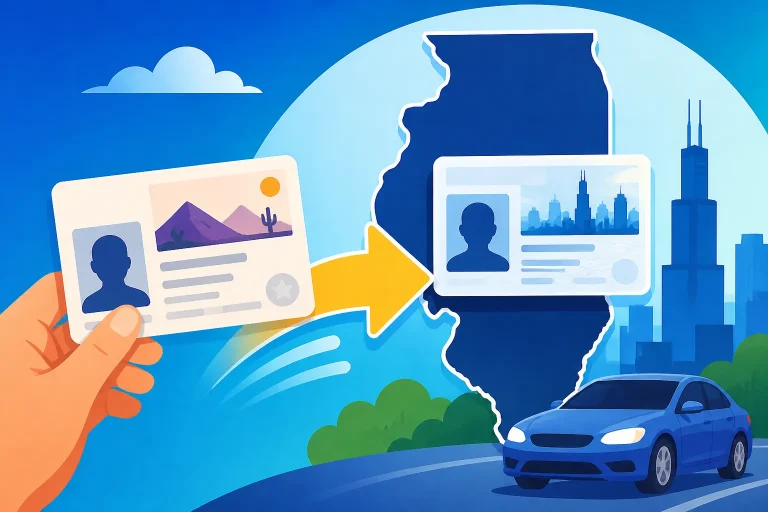
According to the Illinois Secretary of State, customers can change their address online for their driver’s license, ID card, and vehicle registration simultaneously. That can make one online transaction a useful option when several records need updating after a move.
Still, do not assume that every record associated with you or your household will automatically change. A driver’s license, state ID, and vehicle registration are separate records, even when the online service lets you update more than one together. Read the service’s current instructions and confirm which records are included before submitting anything.
An address change is also different from applying for a replacement credential. Updating the address in a record does not, by itself, tell you whether Illinois will issue a new physical license, whether you can request one, or whether you need to visit a facility. Those details depend on the service’s current rules and your circumstances. For that distinction, see Updating Your Illinois Address: Is a New Physical Card Required?.
It helps to think of the task as two related questions:
- Which Illinois records need the new address?
- What, if anything, do you need to do about the physical card or other documents you carry?
If you have both a driver’s license and a vehicle registered in your name, check each record rather than presuming the license update covers vehicle records. If another person in your household has a separate license or registration, check whether that person needs to update their own records. An online option that updates multiple record types does not necessarily mean one person can make changes for everyone.
Before using an online service, make sure you are on the Illinois Secretary of State’s official service and follow its current prompts. The available options, verification steps, and instructions can change. If the official service does not clearly show that a record is included, do not treat it as updated until you have confirmation from the agency.
Prepare before starting the online process
A few minutes of preparation can help prevent an incomplete submission or a mismatch between your records and the address you intend to use. You do not need to guess what a website may request. Instead, gather the information you already know and follow the official service’s instructions for anything else.
Confirm the address you want on the record
Have the complete address in front of you and enter it consistently. Check the street name, unit or apartment information, city, state, and ZIP code against reliable correspondence or your lease, closing documents, or other current paperwork. If you recently moved between units in the same building, check that the unit number is included wherever the form asks for it.
Pay attention to how the form separates address fields. A website may ask for a street address and a mailing address separately, or it may use one address for more than one purpose. Do not assume that the mailing address and the place where you live are interchangeable in every record. Use the definitions in the official service rather than choosing a field based only on what seems likely.
If you have a mailing arrangement that differs from your residence, pause and read the agency’s explanations. A typo or an address placed in the wrong field can cause later confusion, especially if you expect a card or notice to be sent to a particular location.
Check the records you need to update
Make a short list before you begin. For example:
| Record to review | What to check before submitting |
|---|---|
| Driver’s license | Confirm that the online service includes the license record and that the displayed information matches the credential you intend to update. |
| State ID card | Check whether you also hold an ID card and whether you want its record updated as part of the same transaction. |
| Vehicle registration | Review whether a vehicle record needs the same address change and whether the official service lets you include it. |
| Physical credential | Check separately whether the agency offers or requires a new card after the record change. |
| Mailing destination | Confirm where notices or any future card would be sent under the service’s instructions. |
This list is a planning aid, not a statement that every record is eligible for every online transaction. The official service determines what you can update in that session.
Keep your information consistent
Use your current information as the service requests it. If your name or other identifying details have changed too, do not assume an address-change transaction can correct those details at the same time. A change involving a name, identity record, or other credential information may have separate requirements. Check the agency’s instructions before combining different kinds of changes.
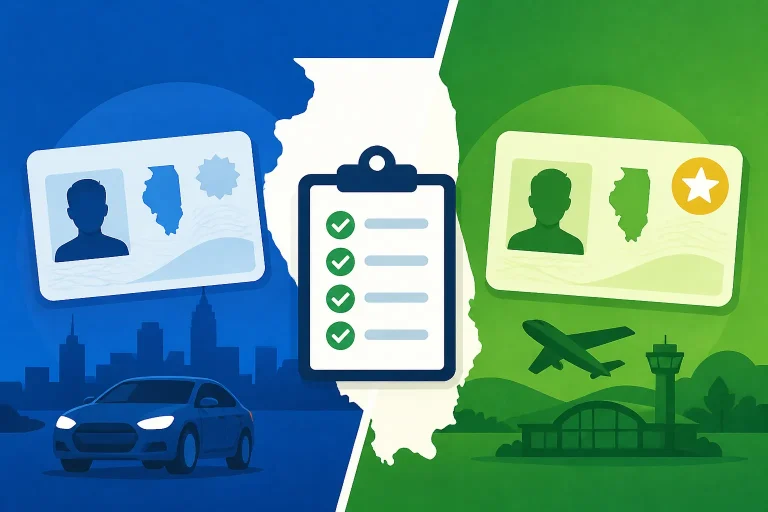
If your license is a REAL ID, or you are unsure which type of card you have, identify it before deciding whether to update anything else. The address-change question and the card-type question are related but not identical. The Illinois Driver’s License Document Checklist: Standard vs REAL ID and Illinois Driver’s License Markings: REAL ID vs Standard Card pages can help you understand the distinction, but use the Secretary of State’s current instructions for the transaction itself.
Use a suitable device and connection
An online form is easier to complete when you can read each prompt carefully and review the information before submission. Use a device that allows you to see the entire form, avoid rushing through fields on a small screen, and do not submit while you are unsure what a prompt means.
If you are using a shared device, take care not to leave personal information visible or saved where someone else can access it. When finished, follow the service’s instructions for ending the session. Keep any confirmation or reference information in a secure place.
How to approach the online change, step by step
The exact screens and prompts belong to the Illinois Secretary of State’s current online service. Since those details can change, use this process as a preparation and review checklist rather than as a substitute for the official instructions.
-
Open the official Illinois Secretary of State service. Start from the agency’s own online services and select the address-change option that matches your situation. Avoid entering personal information into a page unless you have confirmed that it is an official agency service.
-
Read the service description before proceeding. Check which types of records the service says it can update. If you need to change your driver’s license, ID card, or vehicle registration, confirm that the applicable record appears among the available options. Do not infer coverage from the fact that you are updating a different record.
-
Follow the identity and record prompts. Enter information as requested, taking care to match it to the record you want to change. If the service cannot identify your record, or if the information it displays does not look right, stop and use the agency’s directions for resolving the issue rather than trying variations at random.
-
Enter the new address in the fields provided. Review whether the form asks for a residential address, mailing address, or both. Use the agency’s explanations to decide what belongs in each field. Check spelling and unit details before moving on.
-
Select each record you intend to update. If the official service allows a combined transaction, verify which records are selected. An option to change multiple records does not mean that all possible records have been included automatically.
-
Review the information before submitting. Read the address and selected records again. Correct errors before you finalize the transaction. If an address field is unclear, consult the service’s help or contact the Illinois Secretary of State rather than guessing.
-
Complete the submission only when the details are clear. Follow the instructions shown by the official service. Do not rely on a third-party page or an old set of screenshots to determine whether your change has been accepted.
-
Save the confirmation information. If the agency provides a confirmation, receipt, or reference detail, retain it. A confirmation helps you document that you submitted the request; it is not necessarily proof that every separate record or physical credential has been changed. Keep the distinction in mind until you can verify the result.
-
Check the outcome and any next steps. Follow whatever verification instructions the agency gives. If you are unsure whether the update applied to your license, ID card, or vehicle record, contact the Illinois Secretary of State for clarification before relying on the change.
Avoid making a second submission simply because you have not yet seen an immediate change on a document or record. First check the confirmation and the official service’s directions about how to verify the result. If the request appears incomplete or you entered the wrong information, use the agency’s guidance for correcting it.
Decide whether you need a new physical card
An online address update and a replacement card are not the same task. A person may want the agency’s record updated without needing a new card right away; another person may want a credential that displays the current address. Which option is available, and whether a new card is needed or can be requested, must be confirmed with the Secretary of State.
Do not assume that a successful online record change means a new card will be mailed. Do not assume the opposite, either. Check the service’s confirmation and instructions for what happens after the address is changed. If they do not answer whether the physical credential changes, ask the agency before submitting another request or making plans that depend on receiving a new card.
It may help to separate these questions:
- Is the address in the agency’s record updated? Verify that the online service says the relevant record was changed.
- Does the card in your wallet show the new address? Check the physical credential itself.
- Can you request a corrected or replacement card? Confirm the current process with the agency.
- Does your card type affect the paperwork? Ask whether your credential type changes the requirements for a physical replacement.
If you need a card with the updated information, the process may differ from a simple change to a record. See Getting a Corrected Illinois Driver’s License With Your New Address and Updating Your Address and Replacing an Illinois License Together for related situations. These are separate questions from whether the address-change service itself can update your record online.
If your license is near renewal, consider whether you should handle the address change separately or as part of a renewal transaction. Do not assume the online renewal service includes an address correction, or that an address-change service completes a renewal. Review the current instructions for both. The pages Renewing an Illinois Driver’s License Online and Who Is Eligible to Renew an Illinois Driver’s License Online? address renewal questions, but eligibility and requirements should be checked with the official agency.
When the online route may not be the right fit
An online service is convenient when it accepts your record and clearly supports the change you need. It is not the best option when the information does not match, the service cannot identify you, or you need an action that the online transaction does not offer.
The service cannot find or verify your record
If the service cannot locate the record or asks for information you cannot confirm, stop before making repeated guesses. Check that you have selected the right record type and entered the requested details correctly. If the problem remains, follow the Secretary of State’s help instructions or contact the agency.
A mismatch can result from several situations, including a recent change to another part of your record or a difference between what you entered and what the agency has on file. Do not try to work around a mismatch by entering information that is not accurate. The agency can tell you what steps apply to your record.
You need more than an address change
An address update may not be designed to handle a name correction, a change to identity documents, a credential replacement, or a renewal. If you need more than one type of service, confirm whether the agency allows those changes together or directs you to complete them separately.
For document requirements connected to a standard card or REAL ID, consult Illinois Driver’s License Document Checklist: Standard vs REAL ID. That information can help you identify what kind of credential you have, but do not assume a document checklist for one transaction also governs a different transaction.
You want to change someone else’s record
Do not assume you can use your own online account or information to change another person’s license or vehicle record. The official service will explain who may complete a transaction and what identity checks apply. If you are helping a family member, have that person review the prompts and confirm the details, or ask the agency how an authorized helper should proceed.
Your card or record has a special circumstance
If you have a temporary credential, an unusual record status, or another situation that is not addressed in the online service, check with the agency before proceeding. Do not assume that the general address-change process applies to every type of credential or record. A service that accepts some transactions may not support yours.
The instructions point to an in-person visit
If the official agency says you must visit a facility, follow that direction. Find the nearest office and its current hours using the Illinois Secretary of State’s official office locator. Requirements and available services can differ, so check what to bring and whether an appointment is needed directly with the agency before leaving.
Common mistakes and how to avoid them
Address changes are straightforward when the right record is selected and the information is entered as requested. The most common problems come from treating several separate tasks as if they were one.
Assuming the license update also changed vehicle records
A driver’s license and vehicle registration are distinct records. The Secretary of State says customers can change an address online for multiple listed record types simultaneously, but you still need to confirm which ones are included in your own transaction. If you own or manage a vehicle record, check that it was selected and that the service confirms its update.
Updating one person’s information for the whole household
A household move does not necessarily change each household member’s record automatically. Check each person’s license and any vehicle records separately. Follow the agency’s rules for who can submit each request, rather than assuming one person can make every change.
Entering a mailing address where a residential address is requested
Forms may distinguish where you live from where you receive mail. Read the field labels and help text closely. If the agency’s meaning is unclear, seek clarification before submitting. A convenient mailing address is not necessarily a substitute for a residential address when the form asks for one.
Expecting the card to change automatically
A record update may not be the same as ordering a replacement card. Review the agency’s directions about what happens to the physical credential. If a card with the updated address matters to you, ask the Secretary of State what separate action is available.
Repeating the submission without checking the first one
If you are uncertain whether the request worked, review the confirmation and use the agency’s verification instructions before submitting again. Duplicate requests can make it harder to understand which transaction is current. If you suspect that you entered incorrect information, ask the agency how to correct the record.
Treating an old checklist as current instructions
An article, saved note, or screenshot may describe a previous version of a service. Use general checklists to prepare, but rely on the current Illinois Secretary of State service for eligibility, required information, and the steps to complete the transaction. If a prompt differs from what you expected, follow the current official prompt.
Forgetting related renewal or replacement needs
An address update does not necessarily renew a license or replace a damaged card. If you need another service, check it separately. A combined online option may be convenient, but it should not be mistaken for a universal transaction that handles every driver and vehicle need.
A practical checklist before and after submitting
Use this checklist to keep the process organized without presuming which services or requirements apply to your particular record.
Before you start
- Confirm that the page is an official Illinois Secretary of State service.
- Write down the complete address you intend to use.
- Decide whether the driver’s license, ID card, vehicle registration, or more than one record needs an update.
- Check the service’s description to see which records it supports.
- Identify whether you are changing only the record address or also seeking a physical card.
- Read the current instructions for any credential type or unusual circumstance that applies to you.
- Make sure you can verify the information requested without guessing.
While completing the request
- Select the correct record type.
- Follow the service’s prompts for residential and mailing address fields.
- Check the address carefully, including any unit information.
- Confirm each record you intend to update is included.
- Review the summary before final submission.
- Stop if the details shown do not match your intended request.
After submitting
- Save any confirmation or reference details the service provides.
- Follow the agency’s instructions for checking the status or result.
- Verify the change for each record you selected.
- Check separately whether you need or can request a physical credential.
- Contact the Illinois Secretary of State if the confirmation is unclear, a record is missing, or the information is wrong.
- If instructed to visit a facility, use the official office locator to find a nearby location and check its current hours and service requirements.
The essential point is to confirm both the record and the transaction. An online submission is a step toward changing your address, but checking what was updated helps you avoid relying on a change that did not include every record you meant to address.
Frequently Asked Questions
Can I change my Illinois driver’s license address online?
The Illinois Secretary of State provides an online address-change option. Check its current service instructions to confirm that your license record can be updated through the transaction available to you.
Can I update my license, ID card, and vehicle registration together?
According to the Illinois Secretary of State, customers can change their address online for their driver’s license, ID card, and vehicle registration simultaneously. Confirm the records included in your own transaction before submitting it.
Will I automatically receive a new driver’s license card?
Do not assume that changing the address in an online record automatically results in a new physical card. Check the agency’s current instructions or ask the Illinois Secretary of State whether a separate card request is needed.
What if the online service will not accept my information?
Check that you selected the correct record and entered the information as requested. If the service still cannot verify or locate your record, stop and follow the Secretary of State’s help instructions or contact the agency.
Sources
- Illinois Secretary of State — Dlidservices (checked November 11, 2026)
Disclaimer
This article is for general informational purposes only and does not constitute professional advice. Laws, prices and regulations vary by location and change over time. Consult a qualified professional for guidance on your specific situation. Illinois Driver Guide is not a government agency and is not affiliated with any state motor vehicle department.